> ## Documentation Index
> Fetch the complete documentation index at: https://ayakaleaf-pro.mintlify.site/llms.txt
> Use this file to discover all available pages before exploring further.
# TLS proxy
An optional TLS proxy for terminating HTTPS connections, using NGINX.
Run `bin/init --tls` to initialise local configuration with NGINX proxy configuration, or to add NGINX proxy configuration to an existing local configuration. A **sample** private key is created in `config/nginx/certs/overleaf_key.pem` and a **dummy** certificate in `config/nginx/certs/overleaf_certificate.pem`. Either replace these with your actual private key and certificate, or set the values of the `TLS_PRIVATE_KEY_PATH` and `TLS_CERTIFICATE_PATH` variables to the paths of your actual private key and certificate respectively.
A default config for NGINX is provided in `config/nginx/nginx.conf` which may be customised to your requirements. The path to the config file can be changed with the `NGINX_CONFIG_PATH` variable.
If you have a **docker-compose.yml** based deployment, or manage your own NGINX reverse proxy, you can view an example **nginx.conf** file [here](https://github.com/overleaf/toolkit/blob/master/lib/config-seed/nginx.conf).
Add the following section to your `config/overleaf.rc` file if it is not there already:
```text theme={null}
# TLS proxy configuration (optional)
NGINX_ENABLED=false
NGINX_CONFIG_PATH=config/nginx/nginx.conf
NGINX_HTTP_PORT=80
# Replace these IP addresses with the external IP address of your host
NGINX_HTTP_LISTEN_IP=127.0.1.1
NGINX_TLS_LISTEN_IP=127.0.1.1
TLS_PRIVATE_KEY_PATH=config/nginx/certs/overleaf_key.pem
TLS_CERTIFICATE_PATH=config/nginx/certs/overleaf_certificate.pem
TLS_PORT=443
```
If you are using an external TLS proxy (i.e. not managed by the Overleaf Toolkit), please ensure that `OVERLEAF_TRUSTED_PROXY_IPS=loopback,` is set in your `config/variables.env`, e.g. `OVERLEAF_TRUSTED_PROXY_IPS=loopback,192.168.13.37`.
If you are using a subnet from `172.16.0.0/12` (default subnet for Docker networks) for your local network, you will need to set `OVERLEAF_TRUSTED_PROXY_IPS=loopback,` in your `config/variables.env`. Where `` is the `IPAM -> Config -> Subnet` value in `docker inspect overleaf_default`, e.g. `OVERLEAF_TRUSTED_PROXY_IPS=loopback,172.19.0.0/16`. This is to prevent the spoofing of `X-Forwarded` headers.
If the `OVERLEAF_TRUSTED_PROXY_IPS` is not set manually it defaults to `loopback`. If setting manually, you must ensure you include `loopback` (or `127.0.0.1`), which trusts the **nginx** instance running inside the **sharelatex** container. Only IP addresses and CIDR ranges are accepted: do not add hostnames such as `localhost`, otherwise Overleaf fails to start and returns `502 Bad Gateway`.
If you have configured the trusted proxy IPs correctly, you should see your public IP address on the `/user/sessions` page like this:
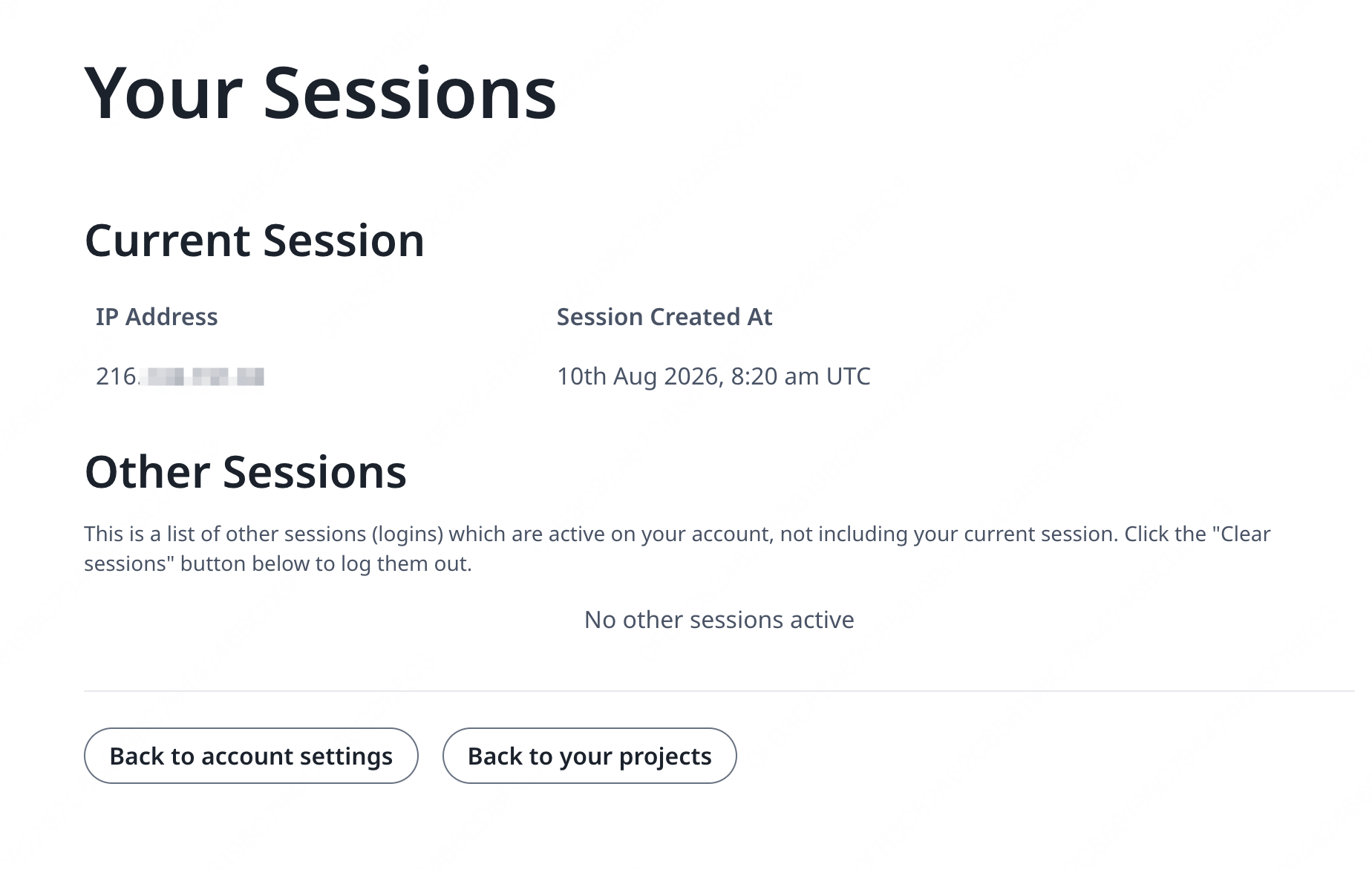 If the IP address shown above is still something like `127.0.0.1` or a private/local network IP address, please check your trusted proxy configuration, especially the value of `OVERLEAF_TRUSTED_PROXY_IPS`.
In order to run the proxy, change the value of the `NGINX_ENABLED` variable in `config/overleaf.rc` from `false` to `true` and re-run `bin/up`.
By default, the HTTPS web interface will be available on `https://127.0.1.1:443`. Connections to `http://127.0.1.1:80` will be redirected to `https://127.0.1.1:443`. To change the IP address that NGINX listens on, set the `NGINX_HTTP_LISTEN_IP` and `NGINX_TLS_LISTEN_IP` variables. The ports can be changed via the `NGINX_HTTP_PORT` and `TLS_PORT` variables.
If NGINX fails to start with the error message `Error starting userland proxy: listen tcp4 ... bind: address already in use` ensure that `OVERLEAF_LISTEN_IP:OVERLEAF_PORT` does not overlap with `NGINX_HTTP_LISTEN_IP:NGINX_HTTP_PORT`.
```mermaid theme={null}
sequenceDiagram
participant user as User
participant external as Host External
participant internal as Host Internal
participant nginx as nginx
participant sharelatex as sharelatex
participant git-bridge as git-bridge
%% User connects to external host HTTP
user->>+ external: HTTP
note over external: NGINX_HTTP_LISTEN_IP:NGINX_HTTP_PORT
external->>+ nginx: HTTP
note over nginx: nginx:80
nginx-->>-external: 301
%% User connects to external host HTTPS
user->>+ external: HTTPS
note over external: NGINX_TLS_LISTEN_IP:TLS_PORT
external->>+ nginx: HTTPS
note over nginx: nginx:443
nginx->>+ sharelatex: HTTP
note over sharelatex: sharlatex:80
%% User connects to localhost HTTP
user->>+ internal: HTTP
note over internal: OVERLEAF_LISTEN_IP:OVERLEAF_PORT
internal->>+sharelatex: HTTP
note over sharelatex: sharlatex:80
%% sharelatex connects to git-bridge
sharelatex->>+git-bridge: HTTP /git/
note over git-bridge: git-bridge:8000
note over sharelatex: GIT_BRIDGE_HOST:GIT_BRIDGE_PORT
git-bridge->>+sharelatex: WEB/WEB-API:3000
git-bridge->>+sharelatex: HISTORY-V1:3100
```
This documentation is built and hosted on [Mintlify](https://mintlify.com), a developer documentation platform.
If the IP address shown above is still something like `127.0.0.1` or a private/local network IP address, please check your trusted proxy configuration, especially the value of `OVERLEAF_TRUSTED_PROXY_IPS`.
In order to run the proxy, change the value of the `NGINX_ENABLED` variable in `config/overleaf.rc` from `false` to `true` and re-run `bin/up`.
By default, the HTTPS web interface will be available on `https://127.0.1.1:443`. Connections to `http://127.0.1.1:80` will be redirected to `https://127.0.1.1:443`. To change the IP address that NGINX listens on, set the `NGINX_HTTP_LISTEN_IP` and `NGINX_TLS_LISTEN_IP` variables. The ports can be changed via the `NGINX_HTTP_PORT` and `TLS_PORT` variables.
If NGINX fails to start with the error message `Error starting userland proxy: listen tcp4 ... bind: address already in use` ensure that `OVERLEAF_LISTEN_IP:OVERLEAF_PORT` does not overlap with `NGINX_HTTP_LISTEN_IP:NGINX_HTTP_PORT`.
```mermaid theme={null}
sequenceDiagram
participant user as User
participant external as Host External
participant internal as Host Internal
participant nginx as nginx
participant sharelatex as sharelatex
participant git-bridge as git-bridge
%% User connects to external host HTTP
user->>+ external: HTTP
note over external: NGINX_HTTP_LISTEN_IP:NGINX_HTTP_PORT
external->>+ nginx: HTTP
note over nginx: nginx:80
nginx-->>-external: 301
%% User connects to external host HTTPS
user->>+ external: HTTPS
note over external: NGINX_TLS_LISTEN_IP:TLS_PORT
external->>+ nginx: HTTPS
note over nginx: nginx:443
nginx->>+ sharelatex: HTTP
note over sharelatex: sharlatex:80
%% User connects to localhost HTTP
user->>+ internal: HTTP
note over internal: OVERLEAF_LISTEN_IP:OVERLEAF_PORT
internal->>+sharelatex: HTTP
note over sharelatex: sharlatex:80
%% sharelatex connects to git-bridge
sharelatex->>+git-bridge: HTTP /git/
note over git-bridge: git-bridge:8000
note over sharelatex: GIT_BRIDGE_HOST:GIT_BRIDGE_PORT
git-bridge->>+sharelatex: WEB/WEB-API:3000
git-bridge->>+sharelatex: HISTORY-V1:3100
```
This documentation is built and hosted on [Mintlify](https://mintlify.com), a developer documentation platform.