Develop Tools Recommended
These optional services are not required to run Overleaf, but they help a lot when developing, debugging and looking into the data. All of them are part of the dev environment, so there is nothing to add todocker-compose.yml. Once you are logged in to the site, the Dev tools menu in its navbar links to the ones the site serves on its own paths.
Grafana
Grafana is served by the site on/grafana/, through webpack-dev-server, so it needs no port of its own. Its Overleaf Develop folder has these dashboards:
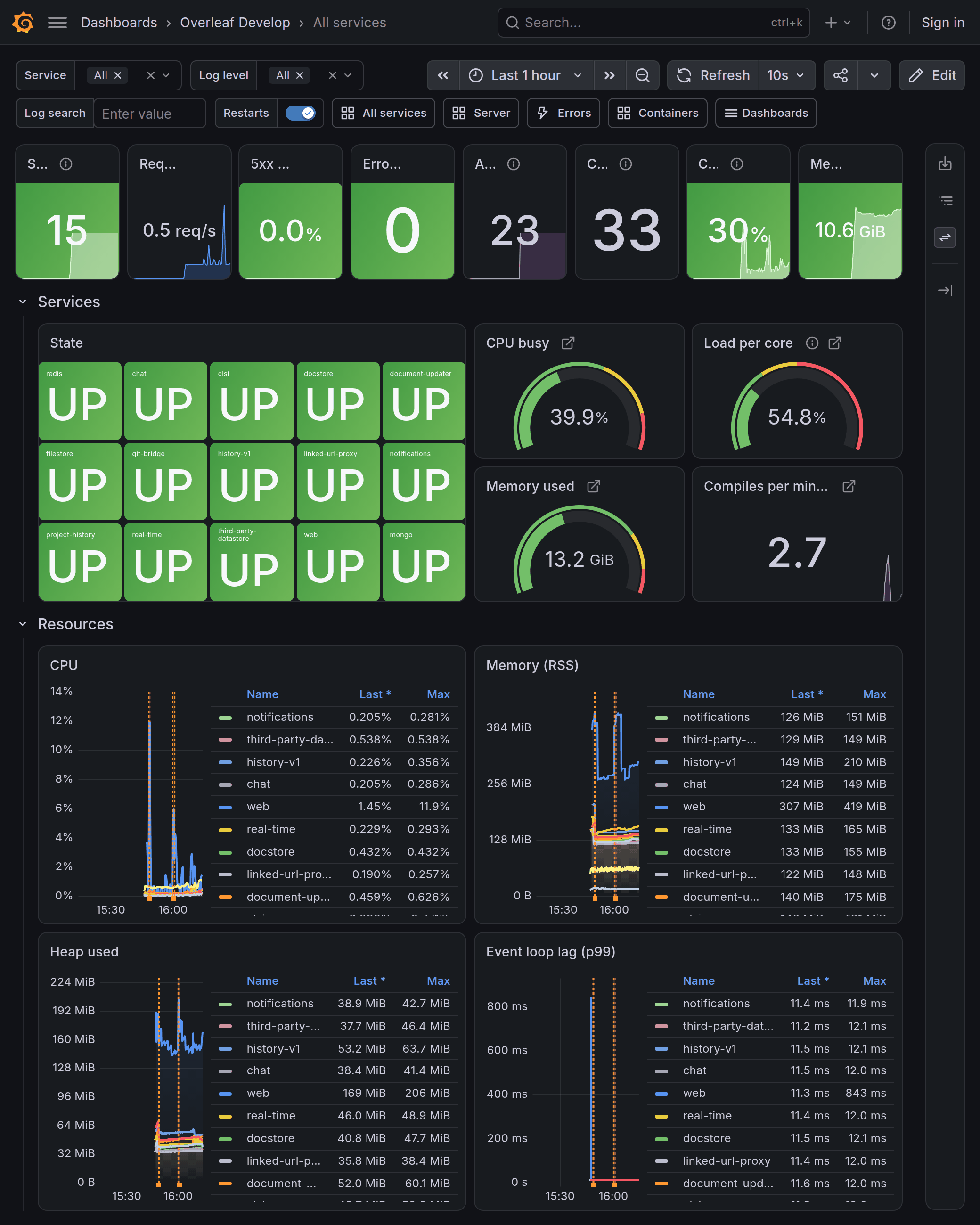
All services: the state of every service, the host, and the resources each service uses
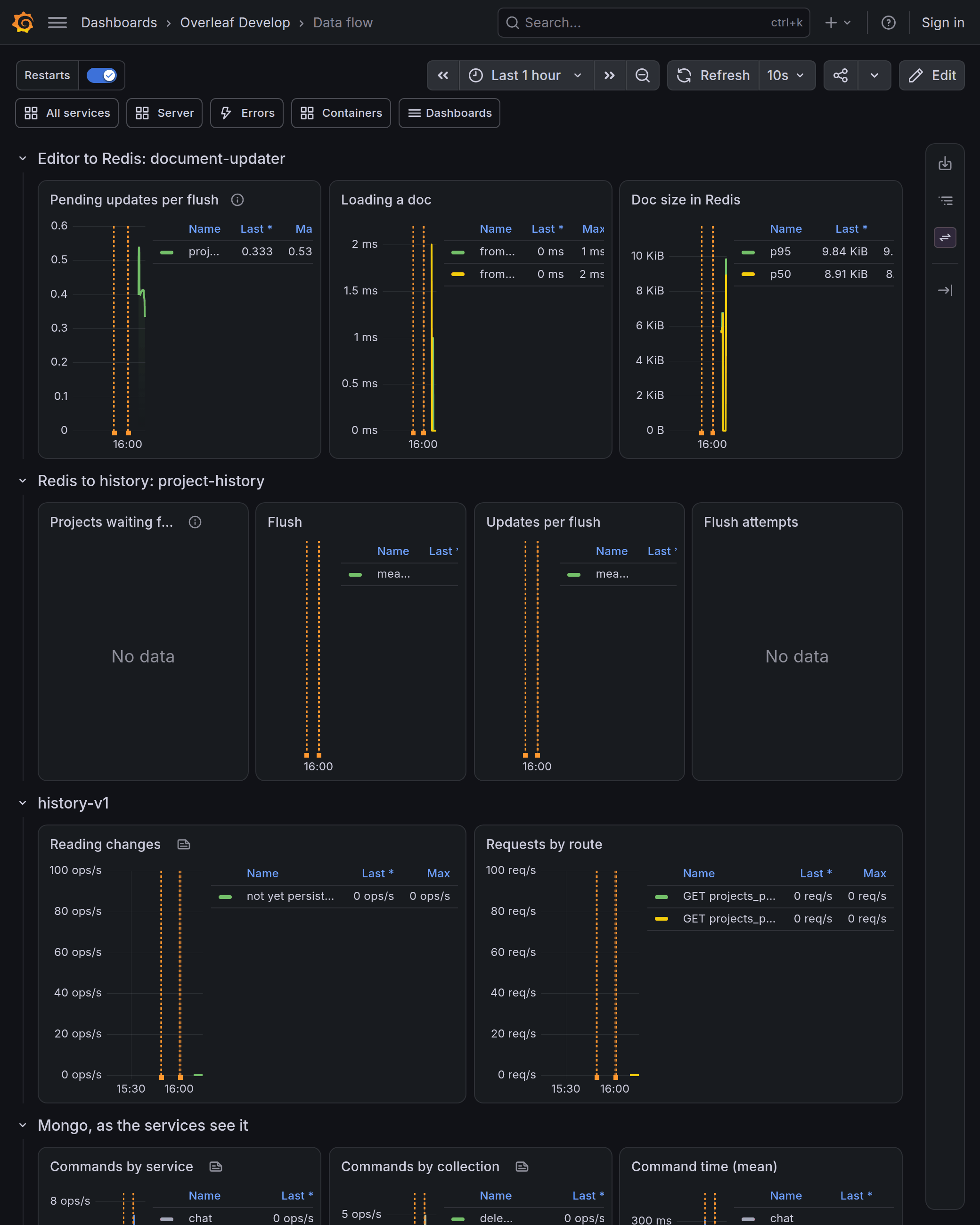
Data flow: an edit on its way from document-updater through project-history to history-v1 and Mongo
/metrics of the services, mongodb-exporter, redis-exporter, cadvisor and node-exporter; Alloy sends the logs of every container of the project to Loki, where the Log search, Service and Log level filters of the dashboards read them. Their data lives in the containers only, so recreating them empties it. cAdvisor runs privileged and reads the host’s /, /sys, Docker data and the containerd socket, read-only; node-exporter reads the host’s /.
The dashboards are generated: change develop/grafana/make-dashboards and run it, instead of editing the JSON files.
Mailpit
WithMAILPIT_ENABLED=true, web sends every email to Mailpit instead of a real mail server, and email confirmation is on (EMAIL_CONFIRMATION_DISABLED=false). Activation links, project invites, password resets and confirmation codes can then be followed from the inbox.
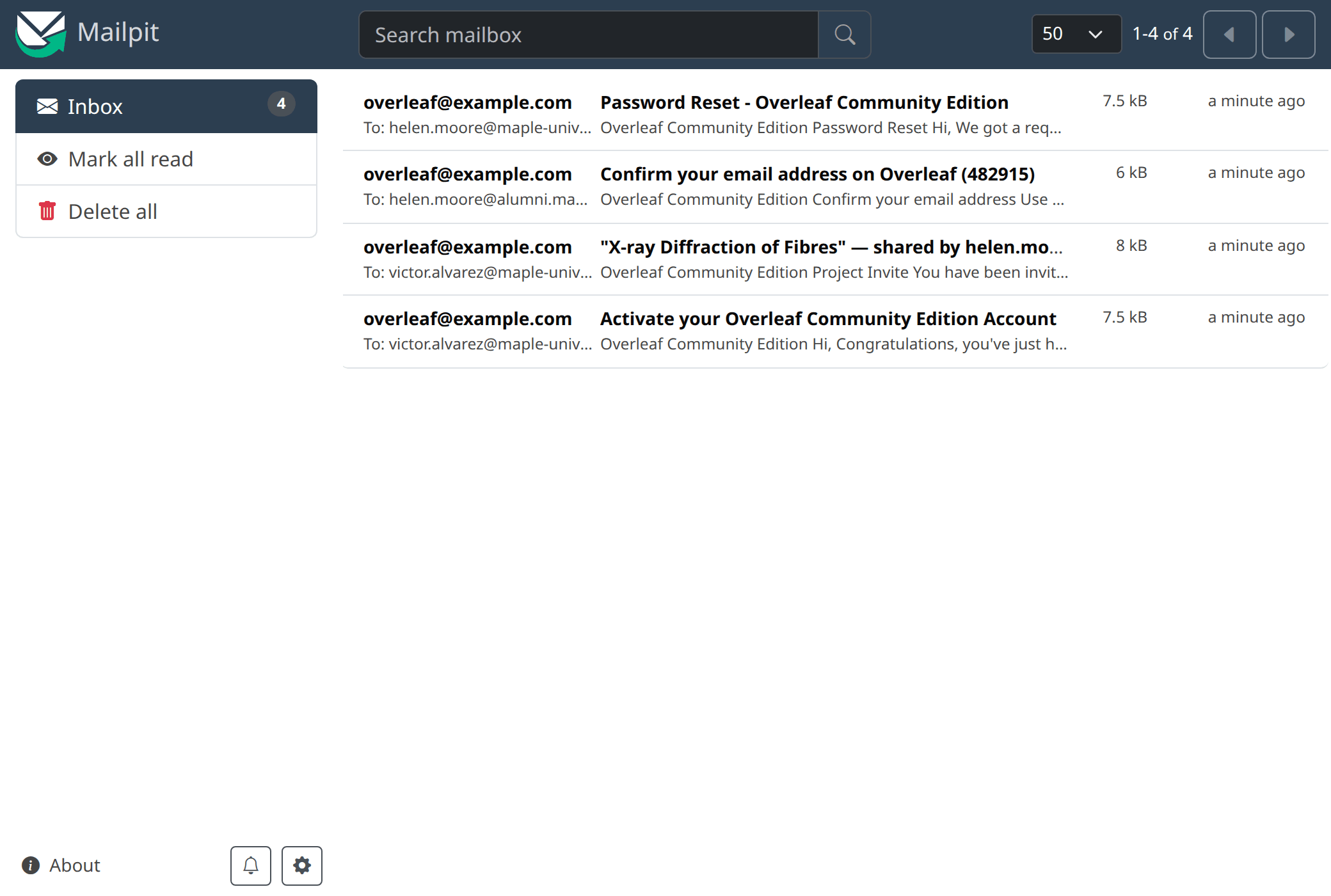
An activation email, a project invite, a confirmation code and a password reset in Mailpit
Mongo Express
Mongo Express shows the collections of thesharelatex database, and can view, edit, import and export their documents.
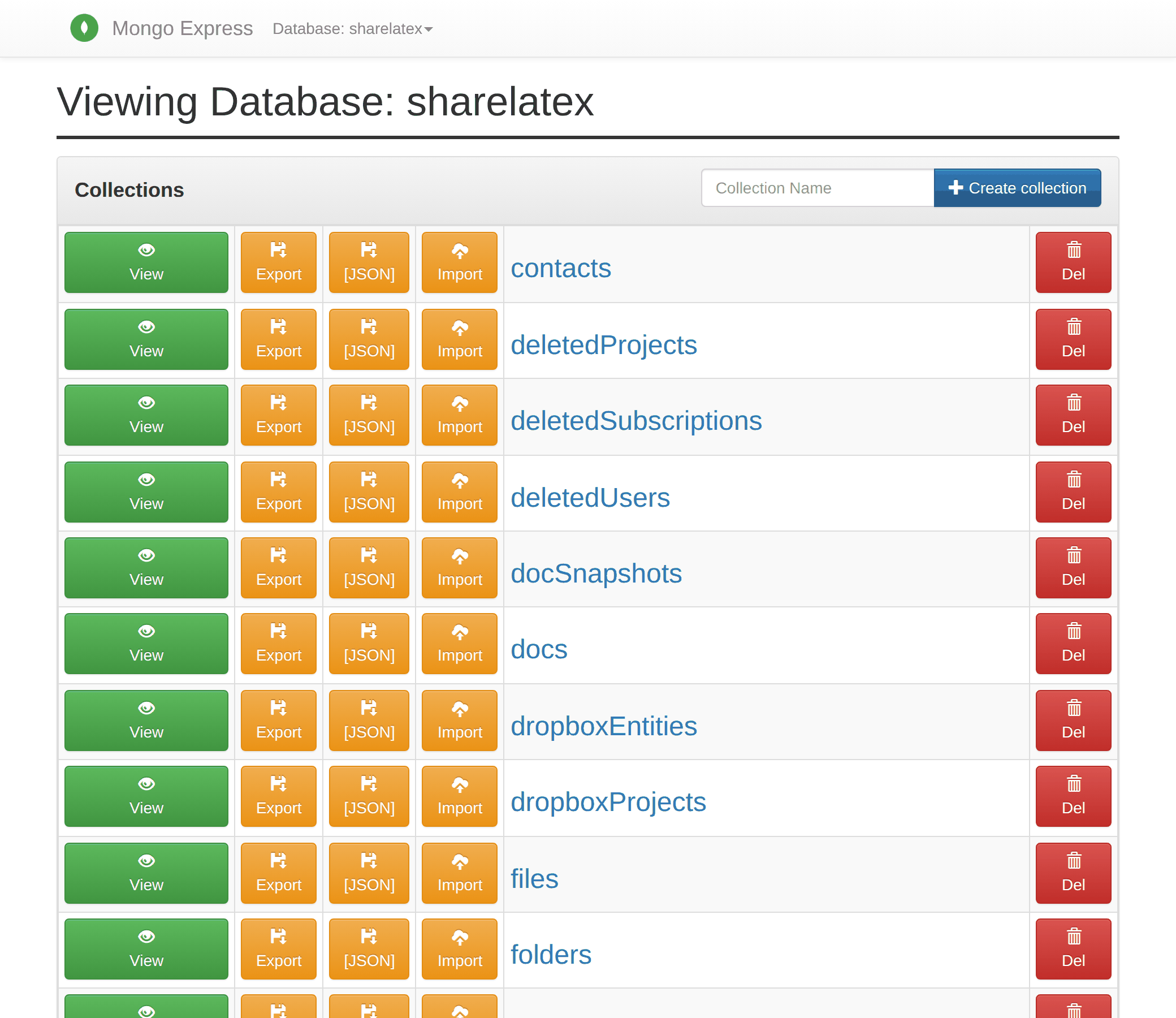
The collections of the sharelatex database in Mongo Express
RedisInsight
RedisInsight keeps its connections indevelop/data/redis-insight. The first time, choose Connect existing database and enter host redis and port 6379.
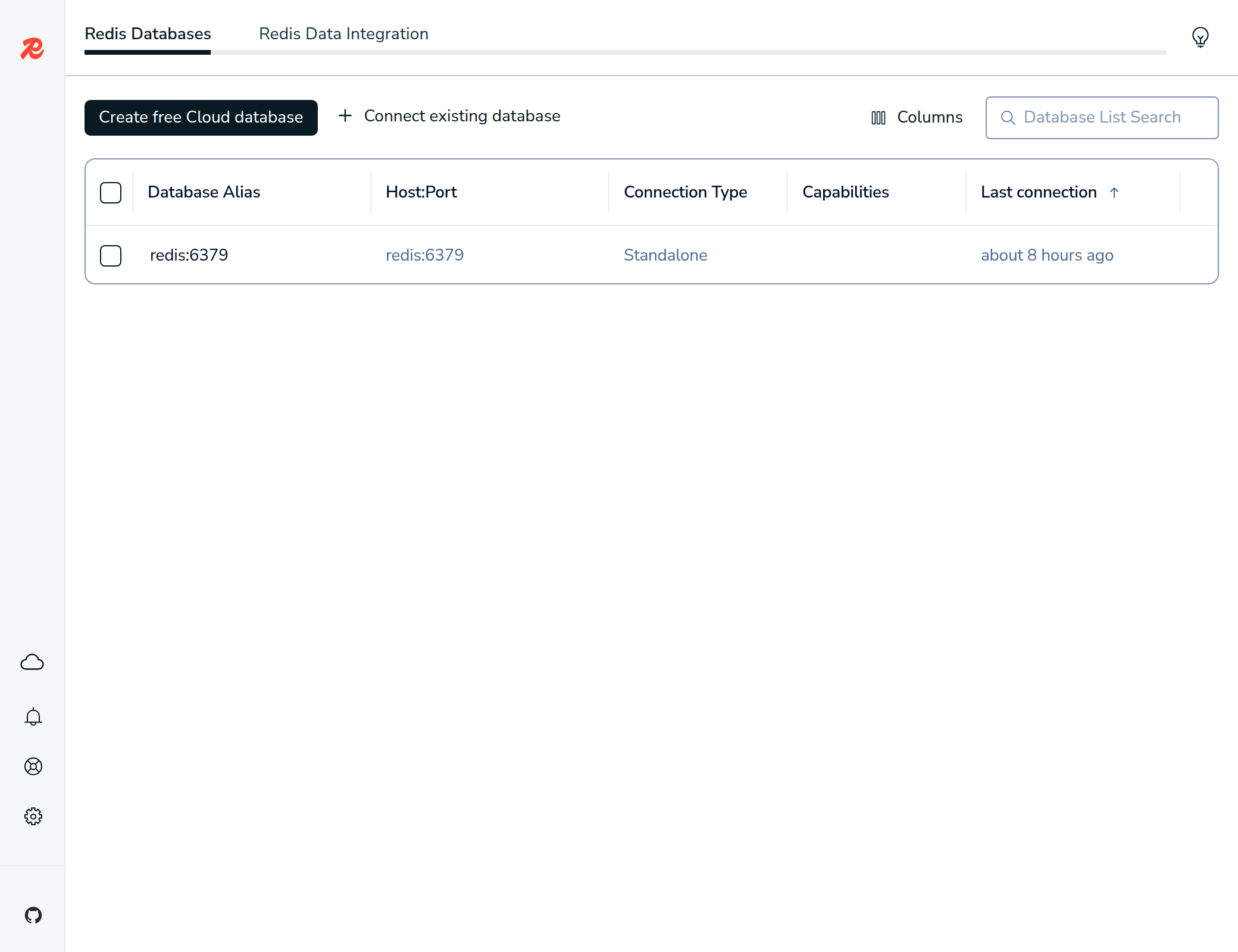
RedisInsight connected to the redis service
Setup Hoppscotch
Proxy API Request
Hoppscotch sends requests from the browser, which cannot reach the services by their Docker names. Its proxy, Proxyscotch, runs inside the Docker network and is served on/proxy of the Hoppscotch address. Open http://localhost:9170, go to Settings → Interceptor, pick Proxy and set the Proxy URL to http://localhost:9170/proxy. The setting stays in the browser.
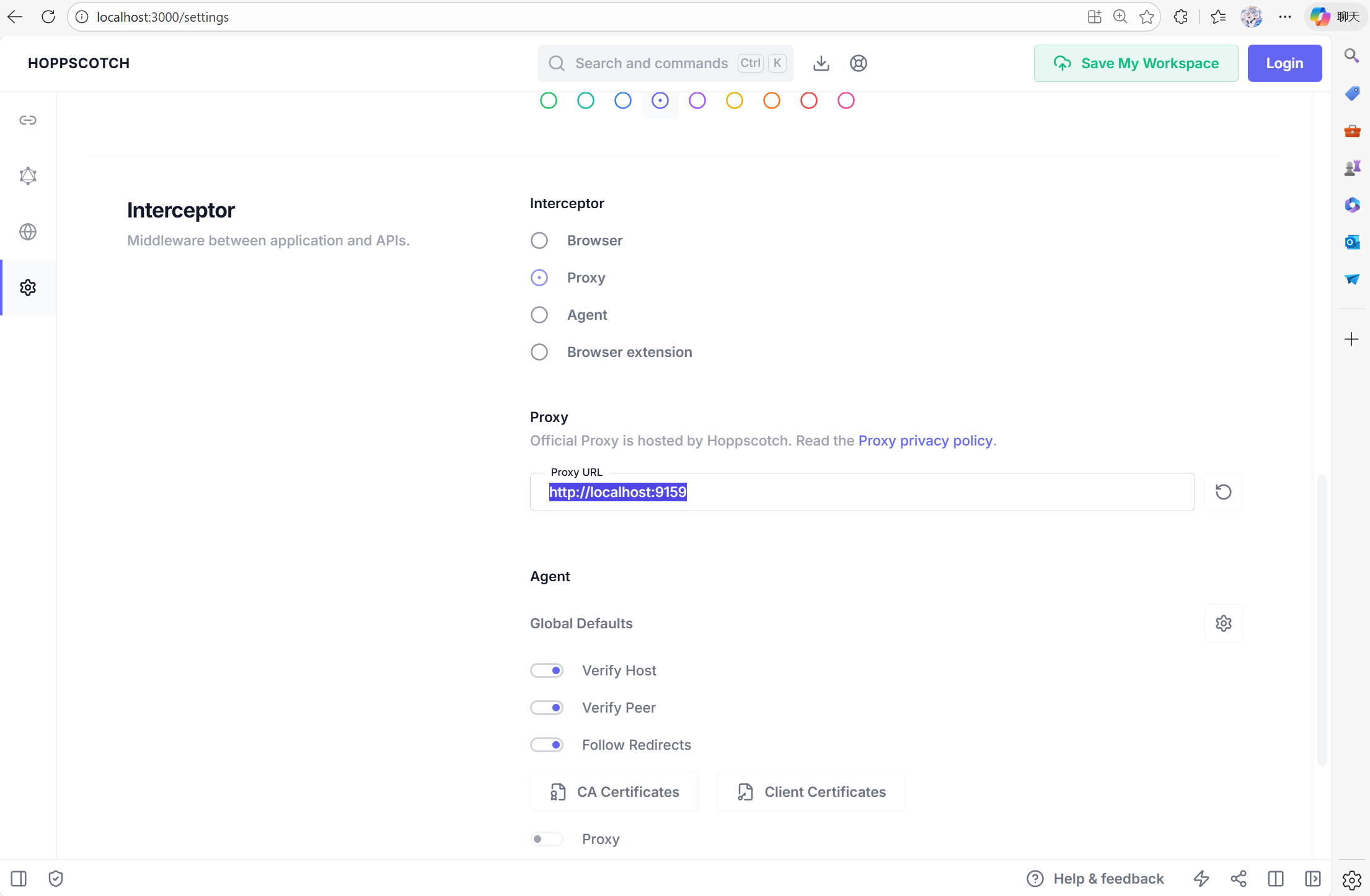
The Interceptor setting. The screenshot is from an older setup: use http://localhost:9170/proxy as the Proxy URL.
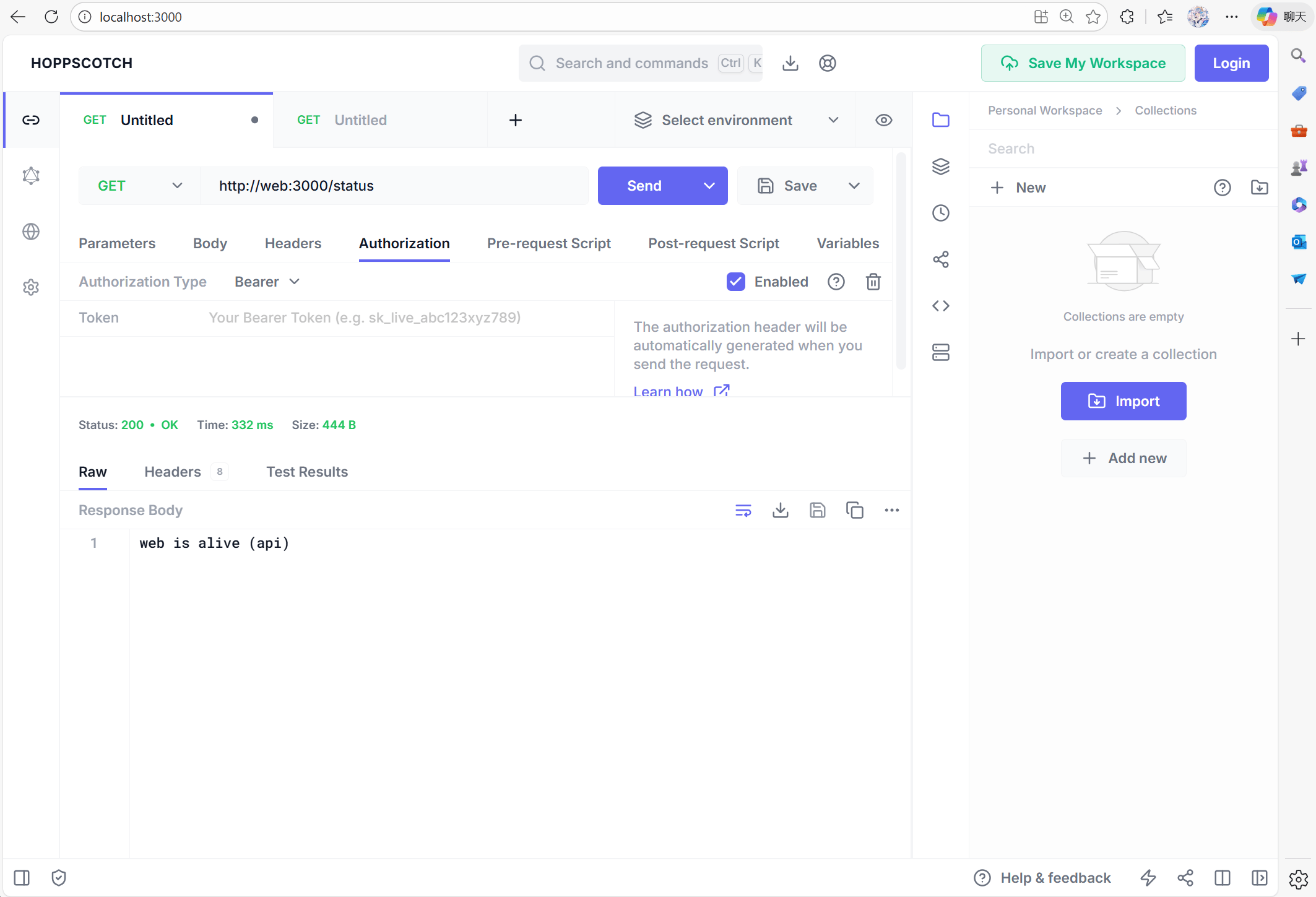
Import the Service APIs
develop/hoppscotch/openapi/ has an OpenAPI file for the internal API of each service. In Hoppscotch, open Collections → Import → Import from File and select all files at once. Each file becomes a collection whose requests go to the service’s Docker address. The same files are shown in the Service API section.
CSRF Problems
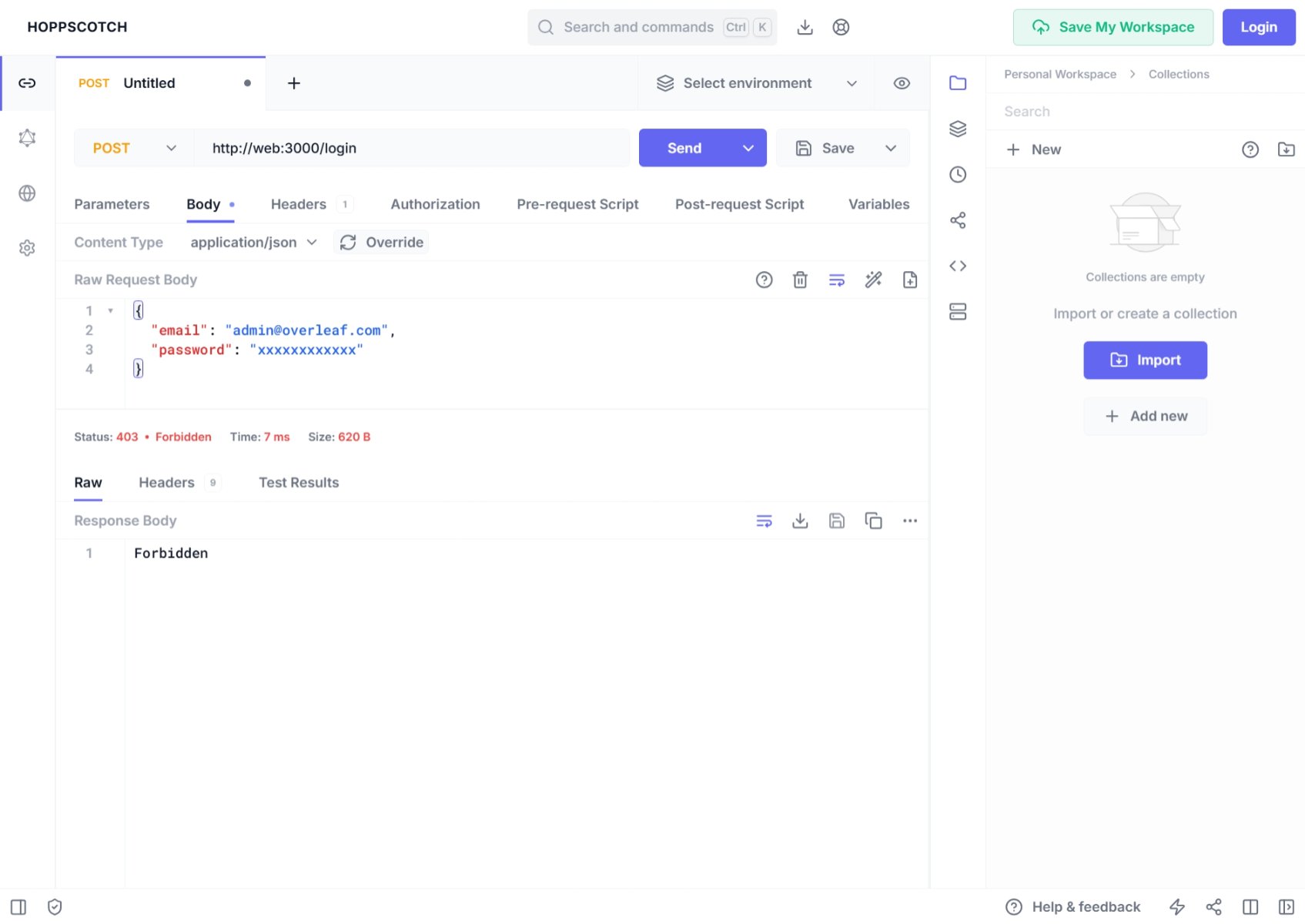
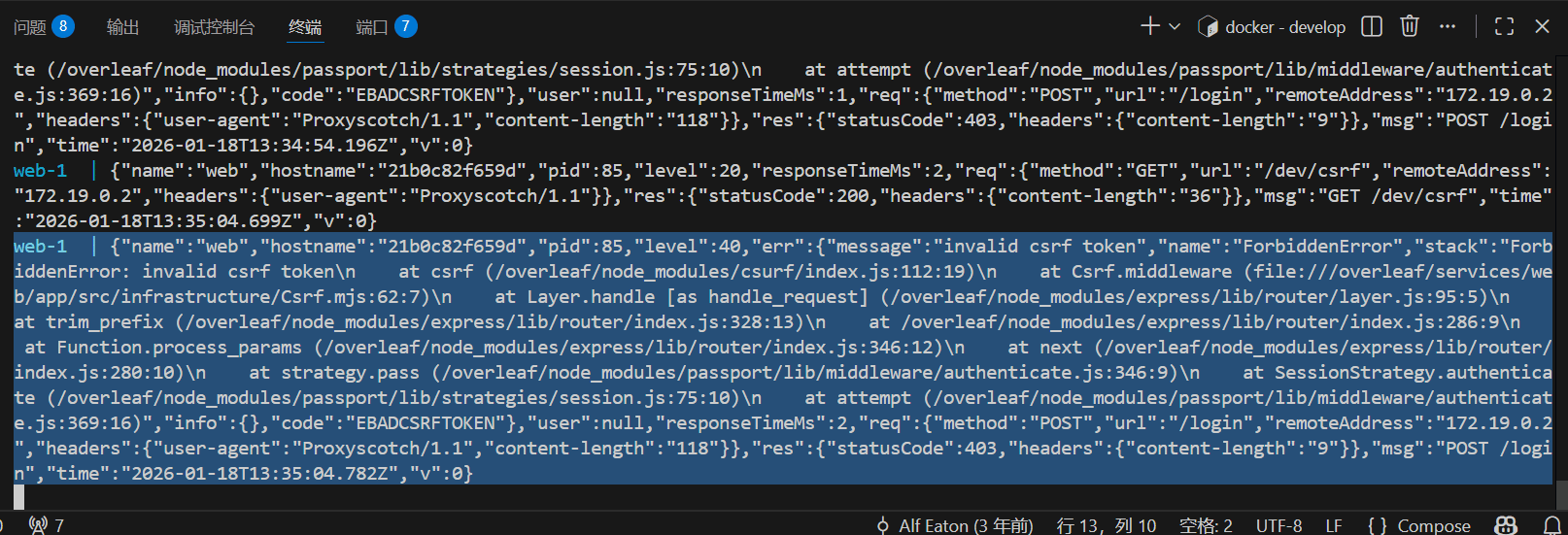
1
Add Pre Request
Add the following code to Pre-Request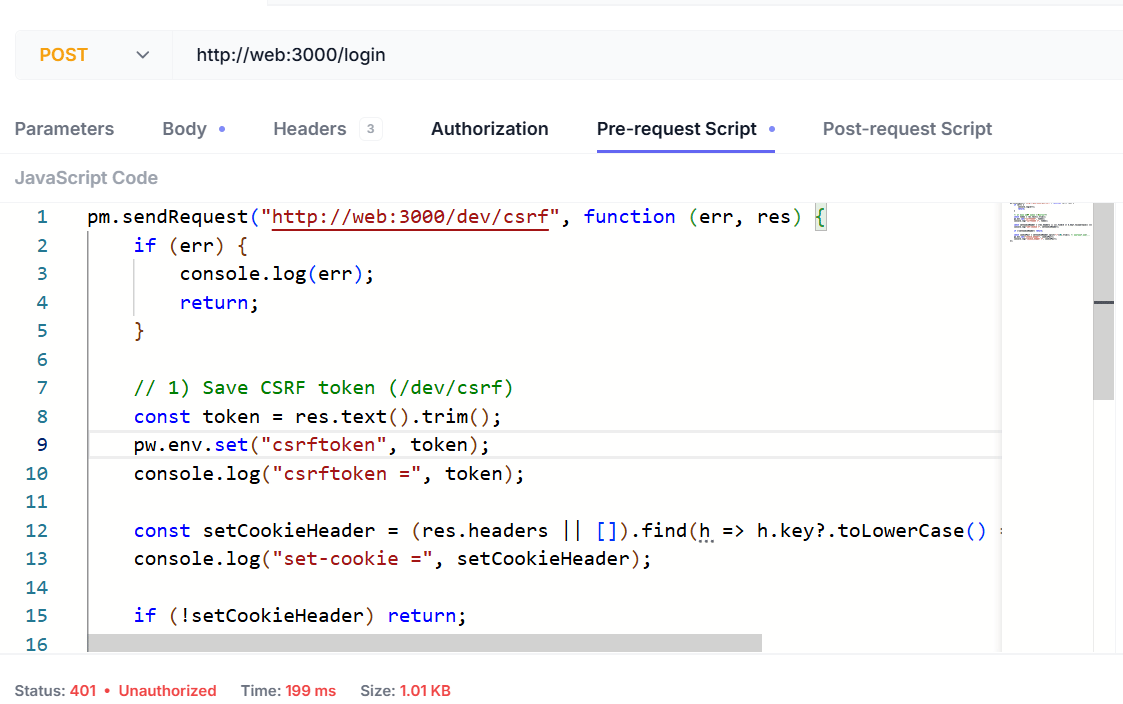
2
Add Request Header
You need to add the following headers: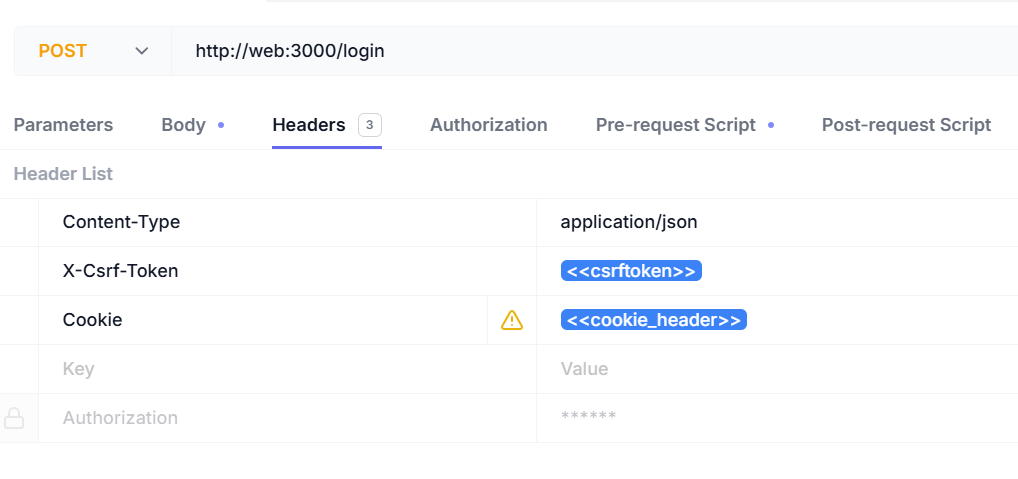
3
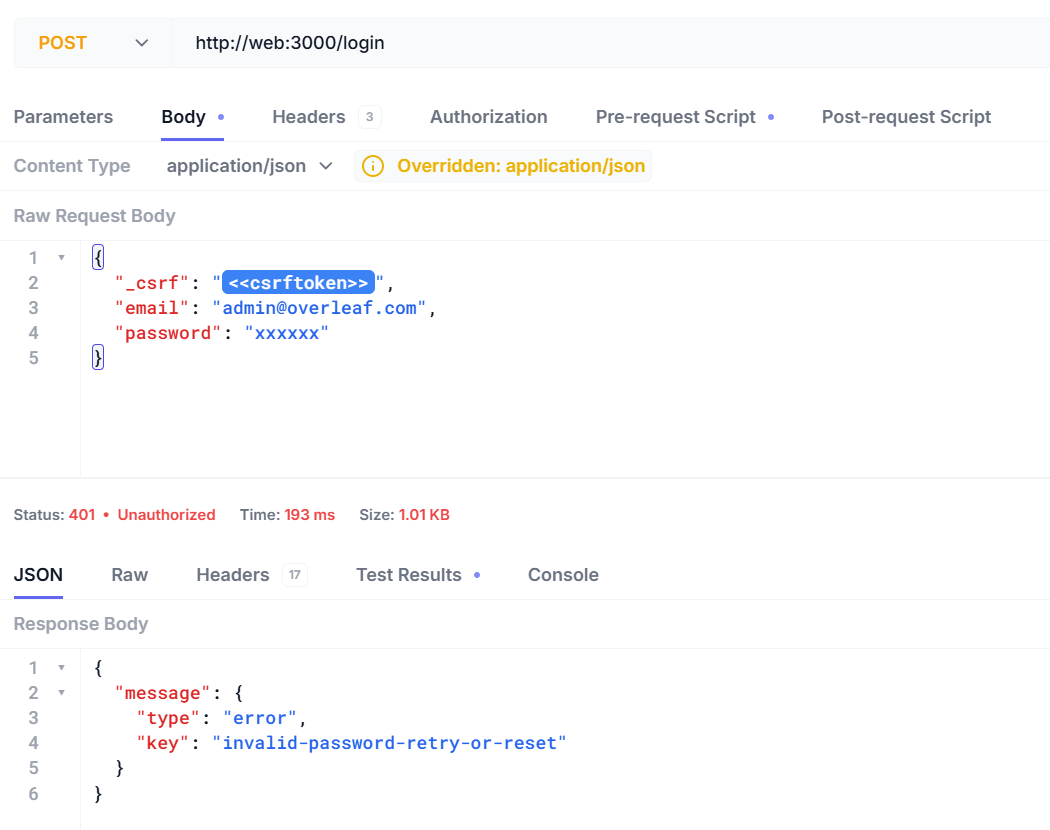
Login with API Tools
Now you can login with your username and password.Here is the response when you input the wrong username or password.